 hilightSign in
Get hilight for Chrome.
One small download. A minute to install. Then highlight anything on the web straight into your library.
Works on Chrome, Edge, Brave, Arc & other Chromium browsers
Installation
Five quiet steps.
Chrome doesn't let extensions auto-install from outside the Web Store, so we load it as an unpacked folder. Takes about a minute.
01
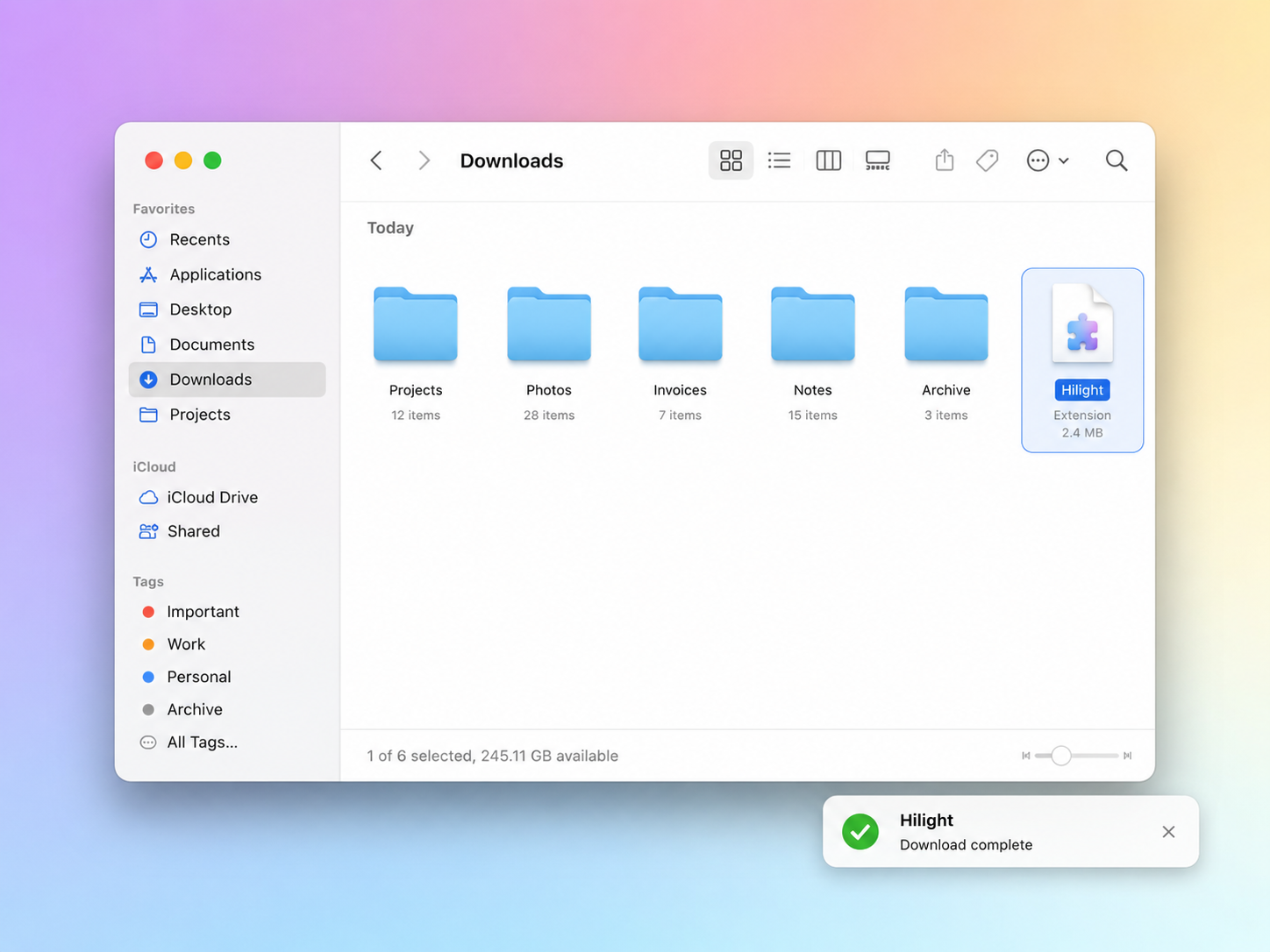
Download the .zip
Grab the extension package using the button below.
02
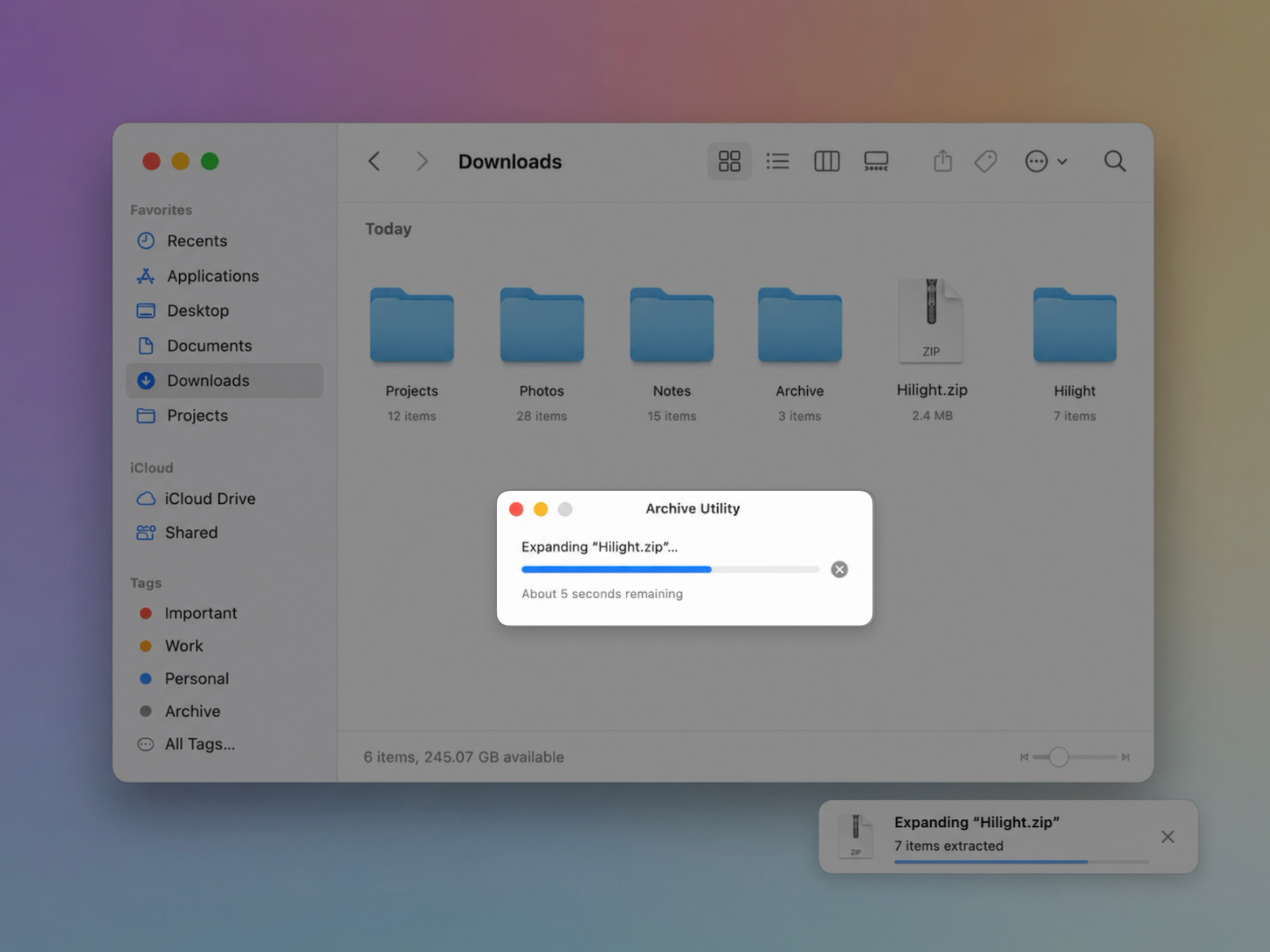
Unzip the folder
Double-click the downloaded file (or right-click → Extract).
03
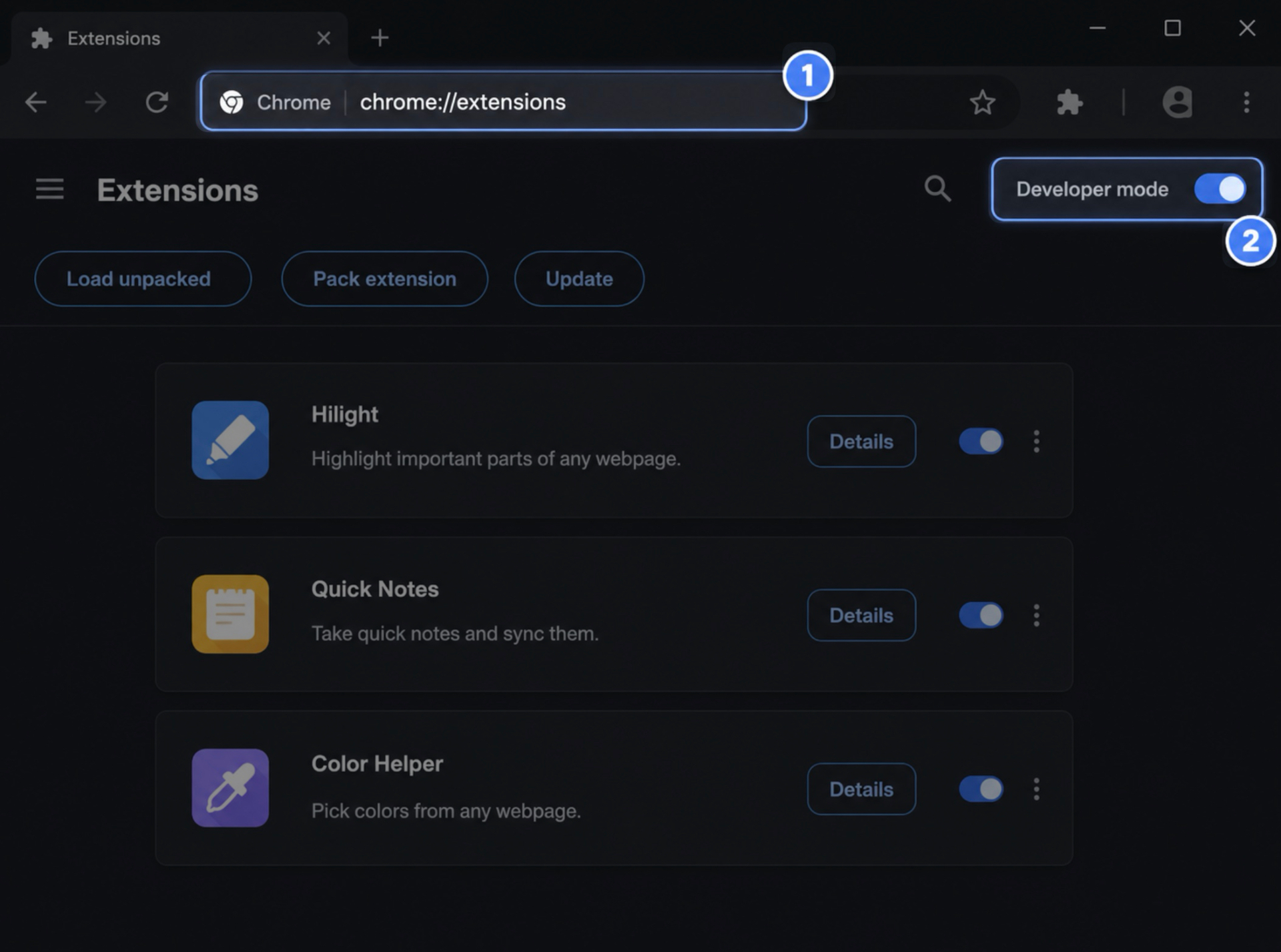
Open chrome://extensions
Paste chrome://extensions into your address bar. Then flip the Developer mode toggle in the top-right corner.
04
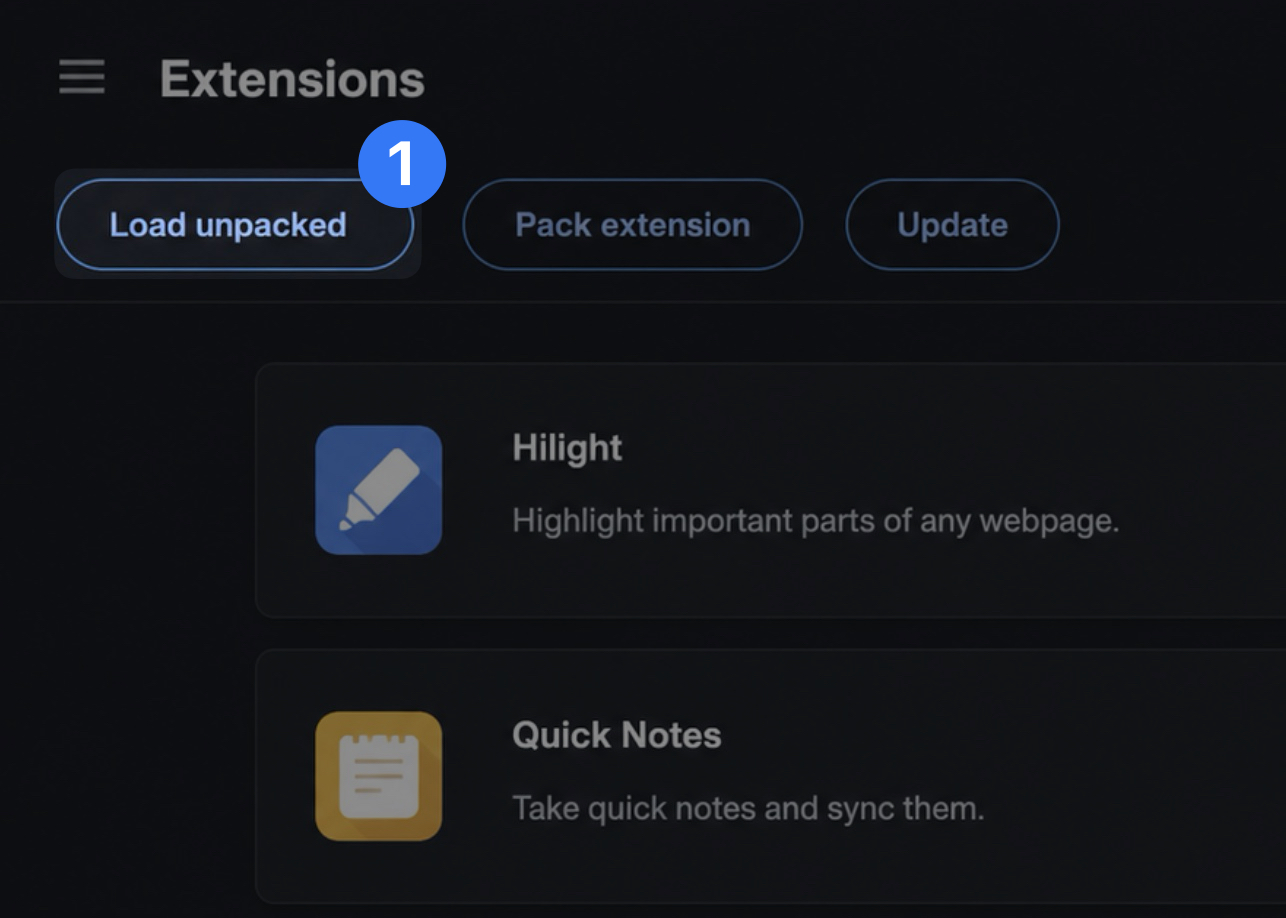
Load unpacked
Click Load unpacked (top-left) and select the unzipped hilight-extension folder. hilight will appear in your extensions list.
05
Pin and connect
Click the puzzle icon in Chrome's toolbar and pin hilight. Then generate a connection token below and paste it into the popup.
Your connection token.
Common questions
- Is it on the Chrome Web Store?
- Not yet. We're in early access — installing unpacked gets you the latest build immediately.
- Does it work in other browsers?
- Anything Chromium-based: Edge, Brave, Arc, Opera, Vivaldi. Firefox support is on the roadmap.
- What does the extension see?
- Only the text you actively highlight, plus the page URL and title at the moment you save. Nothing is captured passively.
- Can I revoke a token?
- Yes — generate a fresh one in the panel above and revoke the old one. The device using it will stop syncing.